Integration
Open “Widget integration” in the sidebar. This section contains the public key, installation code, and data collection settings. For your first installation, you can start from Home, then use this section to check and change the project settings.
Access and permissions
Opening this section requires “View” in the “Integration” row. “Create key” and the first save of “Audience and event collection” require “Create”; changing settings that have already been saved requires “Edit”. The account owner has all permissions.
Public key and installation code
Click “Create key” if there is no key yet. The “Public key” is created for the current project; this public key is not a secret and must be included in the installation code on the website.
Under “Installation code”, Flowtomate shows ready-to-use code. It also shows the installation status:
- “Website connected” — a live website connection was detected;
- “Test connection detected” — a test connection was detected;
- “Waiting for your website to connect” — Flowtomate has not received a request yet.
For each detected website, Flowtomate shows the origin, a “live website” or “test” label, and the time of the last request. An origin consists of the scheme, domain, and port, for example https://app.example.com; it does not include the page path.
Send the ready-to-use code to a developer: the installation guide covers the exact setup steps, CSP, and checking that the widget loads.
Audience and event collection
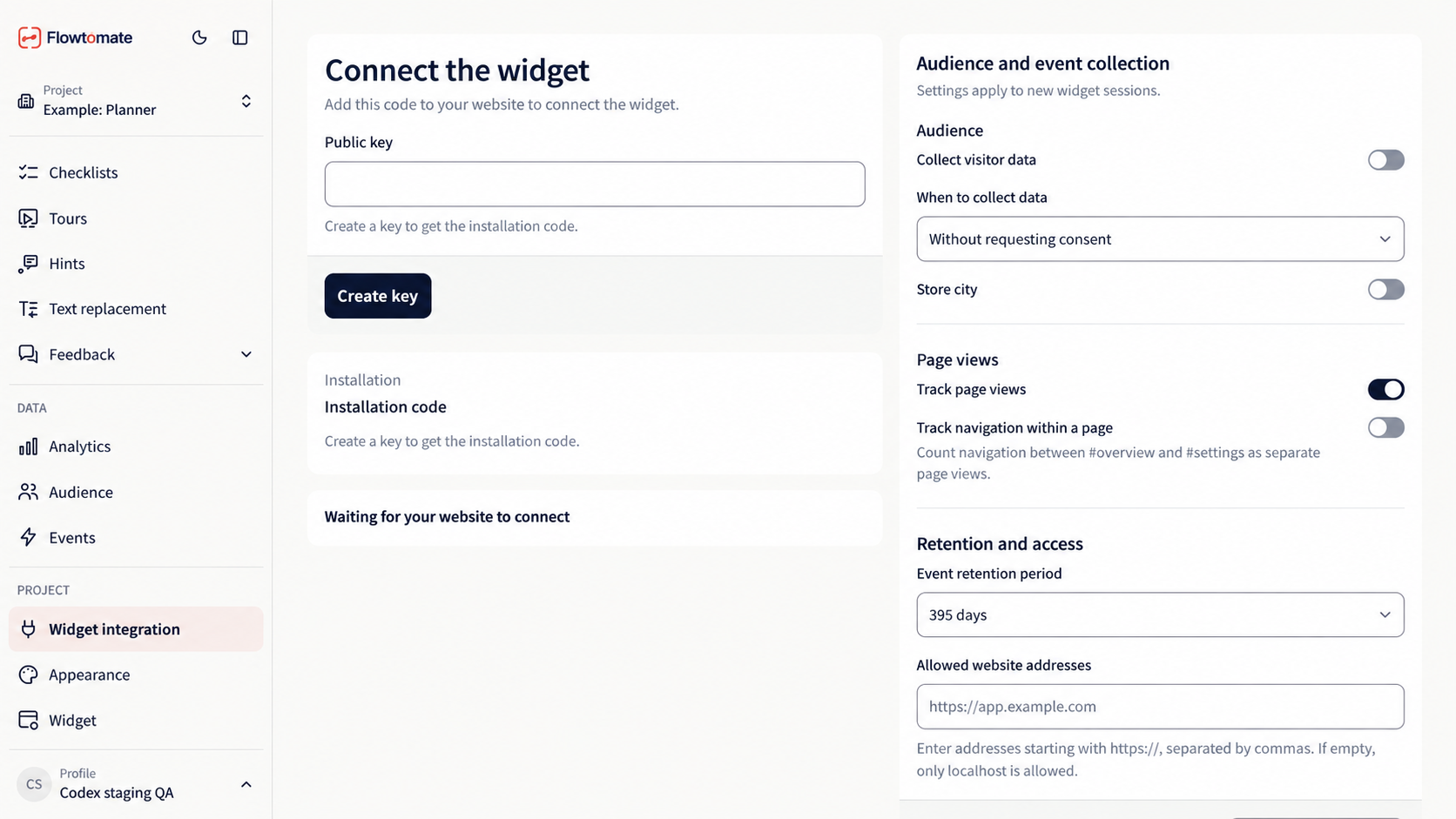
The test project does not have a key yet, and data collection is off. Audience settings are to the right of the installation code.
Settings under “Audience and event collection” apply to new widget sessions. Change the fields you need and click “Save settings”. Until you save, Flowtomate shows “Unsaved changes”.
- “Collect visitor data” turns audience collection on or off.
- “When to collect data” sets the mode to “Without requesting consent” or “Only with consent”.
- “Event retention period” sets how long events and sessions are kept: 30, 90, 180, 395, or 730 days. Cleanup runs once a day, not immediately after saving.
“Track page views”, “Track navigation within a page”, and “Store city” are currently saved in the interface but do not control data collection. Do not rely on them for compliance with data handling rules. To stop collection, turn off “Collect visitor data” and save the settings. “Only with consent” does not start collection until the website sends consent; withdrawing consent also stops collection.
“Allowed website addresses” specifies the websites from which Flowtomate accepts data. Enter each origin, separated by commas. For a live website, enter the exact HTTPS origin, for example https://app.example.com: do not replace it with a path, wildcard, or another domain. An empty list is allowed only for testing on localhost.
Related articles
- Home — connect your website for the first time.
- Events — use collected visitor actions.
- Audience — check collected profiles.
- JavaScript API — send user IDs, emails, attributes, and events from your website.
- Troubleshooting — if widget installation is not confirmed or data is not received.